
Check a fiscal document
Use this guide to locate an existing NF-e record and review its identification, parties, items, and status in the OCA Brazilian localization. This is a consultation task before proceeding with the next step assigned to your role.
Before you start
You need access to the Fiscal application and to the company that owns the document. Have its number or the partner’s name available. The illustrated record is demo data.
1. Locate the document
Open and choose the NF-e list. Search for the document number or partner. If you cannot find it, check the active company and remove unrelated filters.
Open the matching record and confirm that you are looking at the right company and document. Check the document number, series, partner, and operation shown on the form.
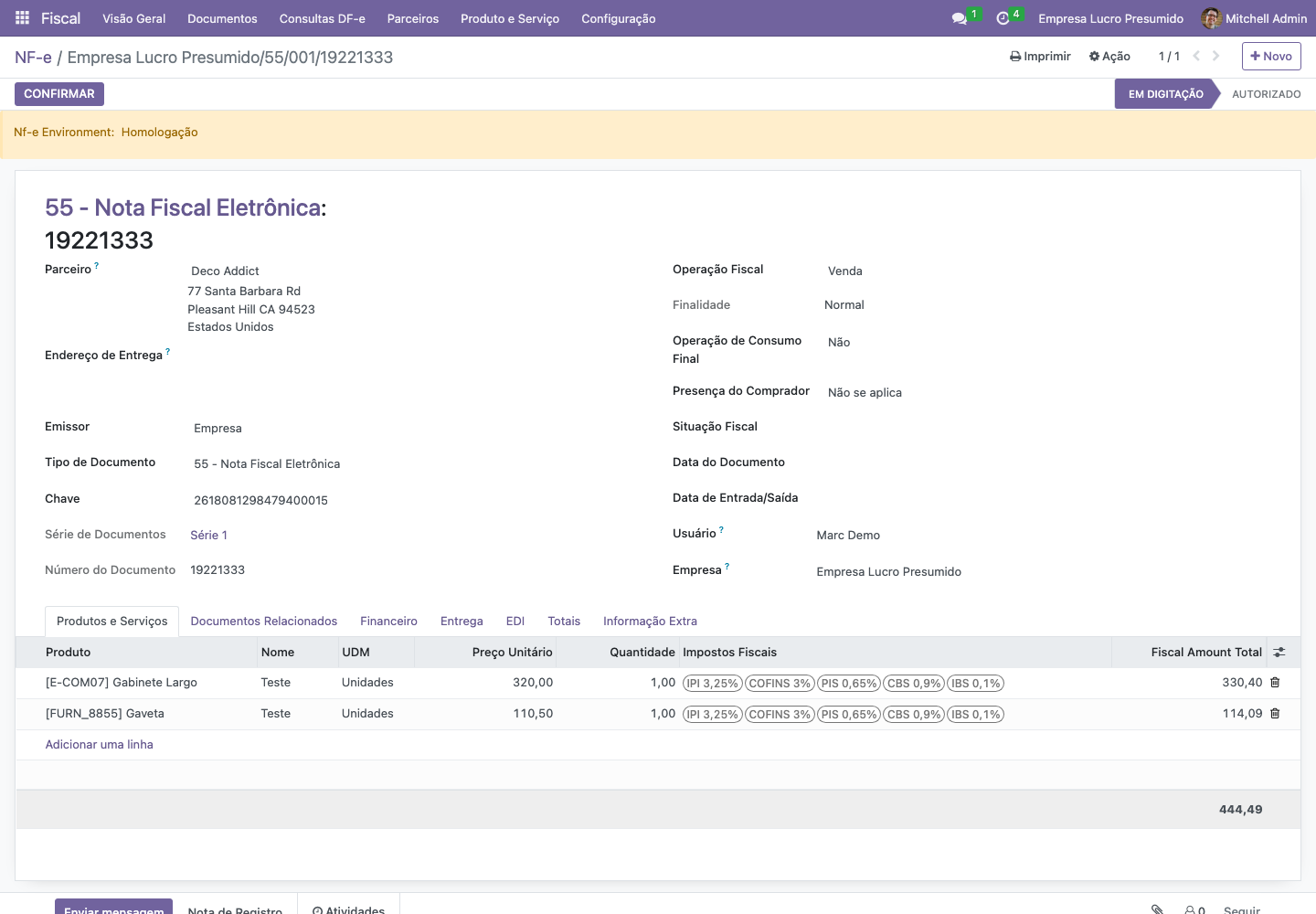
NF-e consultation — Odoo 16, Portuguese interface, KMEE demo captured on 16 September 2026.
2. Review the items and amounts
In the items section, compare the products, quantities, units, and amounts with the business document that originated the operation. Open a line when you need to inspect its fiscal details. Check the totals after reviewing the items.
If the values differ from the expected transaction, record which item and field need review. Ask the responsible team to check the partner, product, and fiscal operation before proceeding.
3. Check the document status
Read the status at the top of the form and the available processing information. A draft or a generated XML does not demonstrate authorization. For a document that should already be authorized, check the authorization result and protocol recorded by the electronic document workflow.
The demo screenshot illustrates consultation. No transmission or authorization was performed to produce it.
Expected result
You have located the correct document and checked its identification, items, amounts, and current status. You can report any discrepancy with the document number and the affected item.
If something goes wrong
Document missing: check the company, search filters, number, and series.
Access denied: ask the administrator to check your company and document permissions.
Unexpected fiscal information: follow Check the sales fiscal operation and request review from the fiscal team.