
Check the sales fiscal operation
Use this guide to check the fiscal operation available for a sale before preparing a quotation or asking the fiscal team to review a calculation. You will locate the operation and understand the information shown on its form.
Before you start
You need access to the Fiscal application and its configuration menus. The example uses the OCA Brazilian localization and the demo operation named Venda. Your company may use other names.
1. Find the operation
Open . Use the search box to look for Venda, or locate it in the list. Check the code and status before opening it.
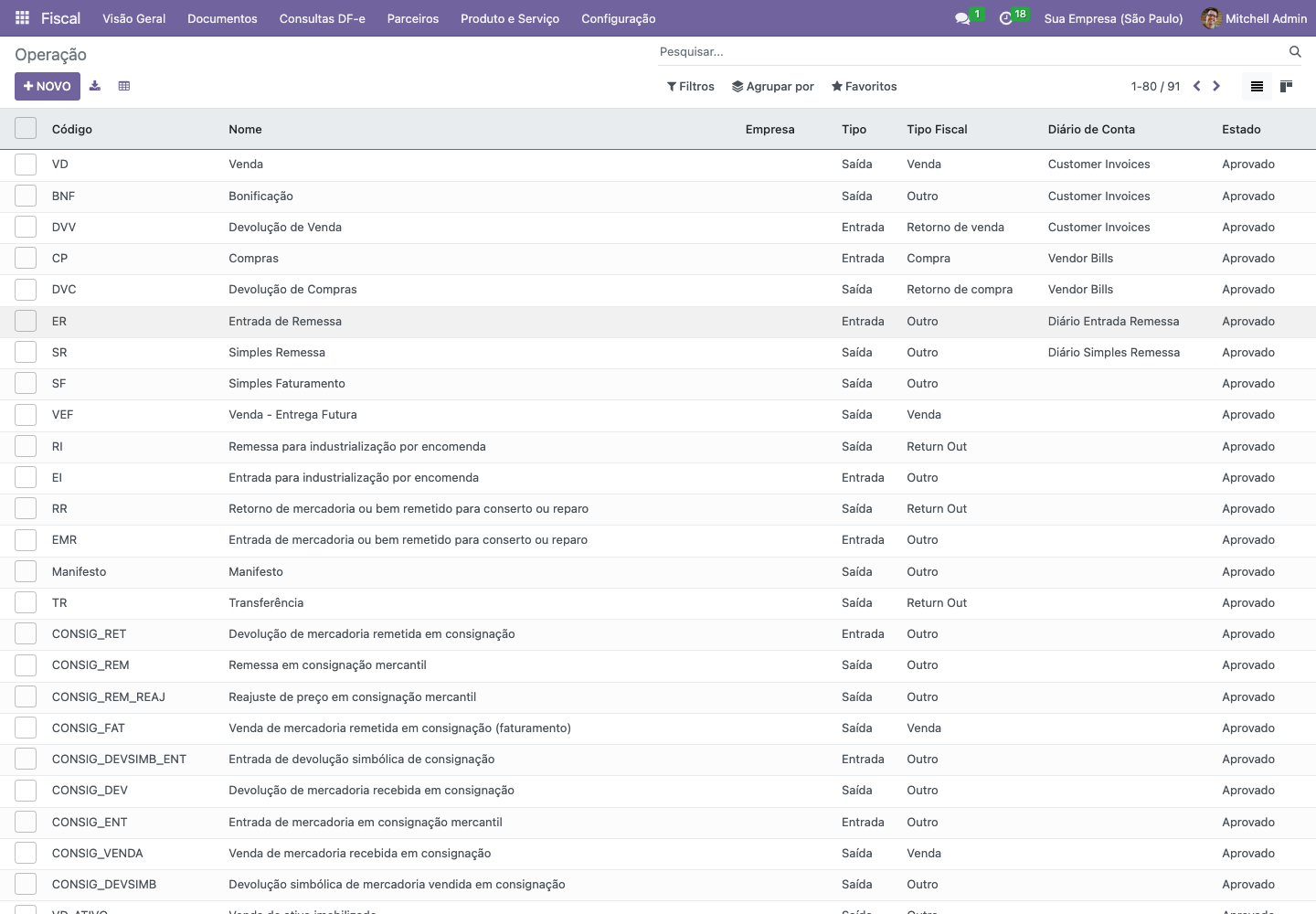
Fiscal operations — Odoo 16, Portuguese interface, KMEE demo captured on 16 September 2026.
2. Check the header and status
Open the operation. In this example, the code is VD, the type is Out, the fiscal type is Sale, the purpose is Normal, and the status is Approved. Check the operation assigned by your fiscal team; these example values are not a configuration recipe for every sale.
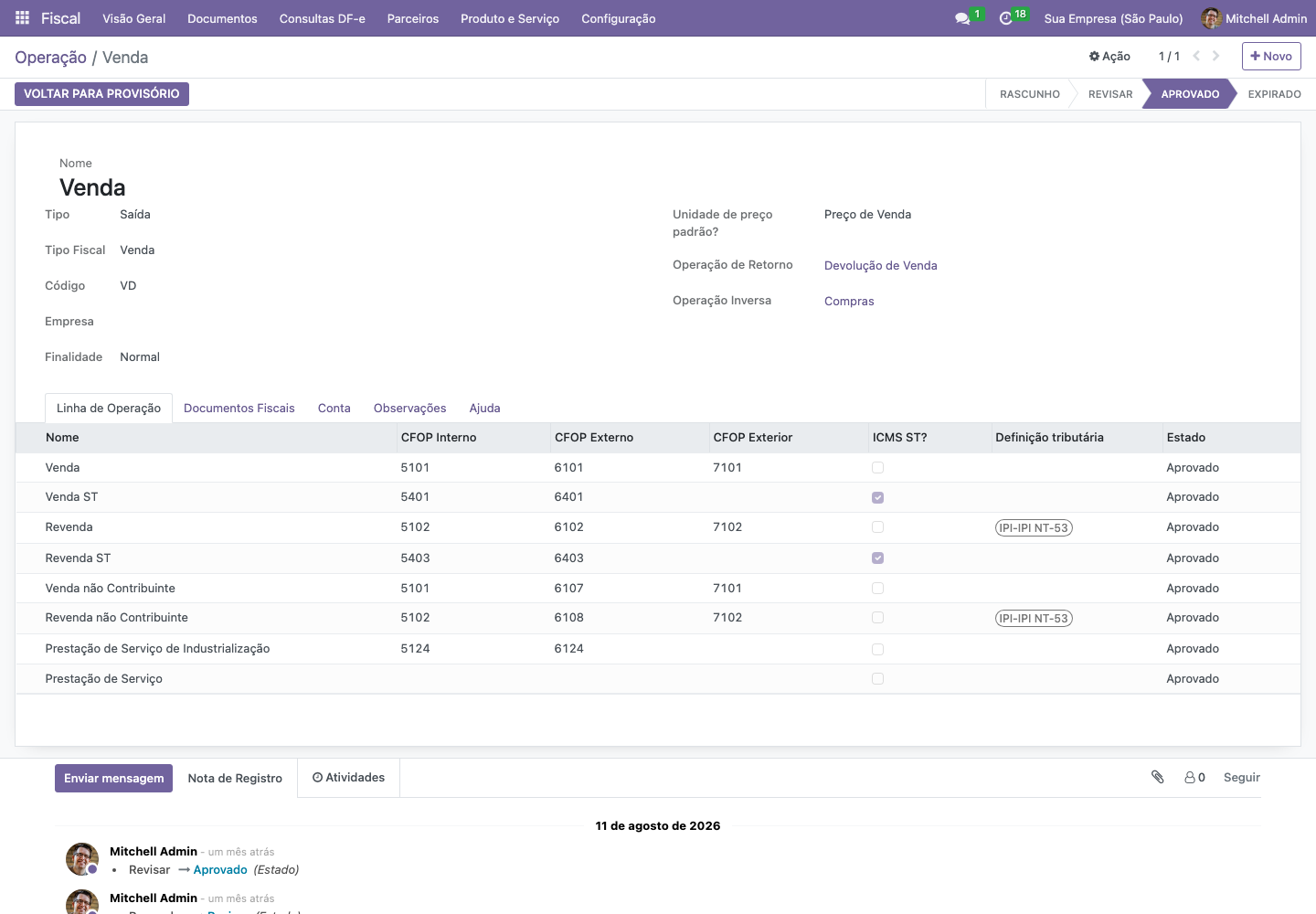
The Venda operation and its lines — Odoo 16, Portuguese interface, KMEE demo, 16 September 2026.
3. Understand the operation lines
The Operation Line tab lists the possible lines for the operation. The example includes sales, resale, and services. The columns show the configured CFOP codes and other tax definitions. The applicable line depends on the transaction and the installed configuration.
If a quotation shows an unexpected fiscal result, note the customer, product, operation, and operation line. Send those details to the person responsible for fiscal configuration.
Expected result
You can identify the operation, its status, and its configured lines. You have not changed any fiscal configuration. Continue with preparing a quotation or checking a fiscal document.
If something goes wrong
Menu missing: check your permissions with the administrator.
Operation missing: check the search filters, active company, and operation name.
Operation is not approved: ask the fiscal team to review it before using it in a new process.
Unexpected CFOP or tax: review the transaction with the fiscal team before changing shared rules.