Odoo Blog: publish, optimize and measure the impact of your content without leaving the ERP
Blog integrated with the website, with SEO and content management
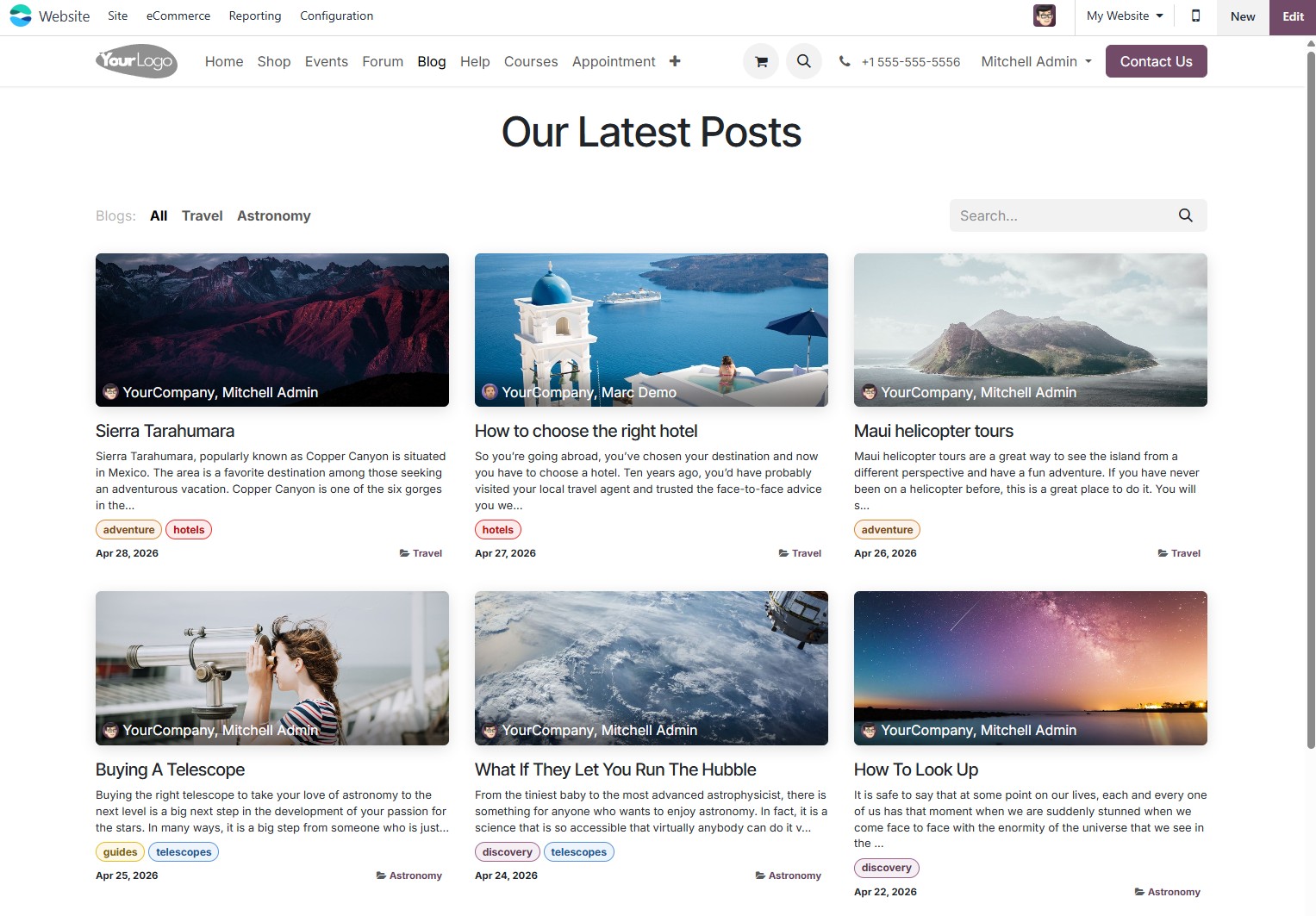
Odoo Blog integrates natively with Odoo Website and the CRM to turn content into qualified leads. Publish articles with a visual editor, optimize every post for Google, manage multiple authors and track traffic metrics, all on the same platform as your ERP.
Website & E-commerce Official Odoo module
Why Odoo Blog?
Real results our clients achieve.
No code visual editor
Publish rich articles with images, videos, code blocks and CTAs using the same visual builder as Odoo Website. No IT dependency to publish, edit or schedule content.
Native per article SEO
SEO title, meta description, canonical URL, OG tags and structured data (Article schema) configured per post, with on page SEO analysis built in before publishing.
Traffic that turns into a CRM lead
Capture forms integrated with the CRM turn readers into tracked leads. See which article generated the most opportunities and adjust your editorial calendar to maximize pipeline generation.
Multiple authors and editorial flow
Manage content teams with author profiles, drafts for internal review and scheduled publishing. The manager approves and the writer publishes, with no need to switch systems.
Features
What's included in this module.
Rich Content Editor With Visual Blocks
Write articles with rich formatting: headings, bold, lists, tables, images with alt text, embedded videos (YouTube, Vimeo), code blocks and CTA buttons, all through the Odoo Website visual editor.
Organization by Categories and Tags
Classify articles by category (market, product, tutorial) and freely defined tags. Navigation by category and tag improves the reader experience and reinforces the topical structure for SEO.
On Page SEO per Article
Set the SEO title, meta description, canonical URL and OG tags for each post individually. Odoo automatically generates the Article markup (JSON-LD) for rich results on Google.
Publishing Schedule
Write today, publish tomorrow. Schedule the exact date and time of publication for each article, useful for keeping an editorial cadence without depending on someone being online at go live time.
Author Profiles With a Dedicated Page
Each author has a photo, bio and listing page with all their published articles, improving the site's E-E-A-T authority with Google and humanizing the company's communication.
Lead Capture Forms Integrated With the CRM
Insert newsletter sign up or gated content download forms directly inside any article. Each submission automatically creates a lead in the CRM tagged with the source article for pipeline tracking.
Social Media Sharing With OG Tags
Open Graph tags generated automatically per post ensure the title, image and description appear correctly when shared on LinkedIn, WhatsApp, Instagram and other networks, with no manual tag editing.
Multilingual Blog
Publish articles in Portuguese, English and Spanish with separate language URLs (/en/blog/, /es/blog/). Ideal for Brazilian companies with an international presence or to attract readers from other Spanish speaking countries.
Moderated Comments
Enable comments on posts with administrator moderation before publishing. Approved comments show the name, profile photo (Gravatar) and date, encouraging engagement without spam.
Integration With Email Marketing for Newsletters
Export subscribers captured through the blog form directly to Odoo's Email Marketing module. Configure automatic sending of a weekly or monthly digest email with the latest articles.
Native integrations
Odoo Blog connects natively with other Odoo modules, no external integration.
Why implement with KMEE
KMEE configures Odoo Blog as part of an integrated inbound marketing strategy: technical SEO aligned with Google, capture forms connected to the CRM, email marketing automations triggered by interest tag and traffic tracking via GA4 and GTM. Our team combines the technical implementation of the module with editorial best practices and structured data configuration to maximize organic presence in Brazilian search results.
About KMEEWho it's for
Scenarios where this module delivers the most value.
B2B Inbound Marketing With Lead Generation
A services company publishes technical articles that attract decision makers via Google. E-book download forms capture contacts that go straight to the CRM as qualified leads for the sales team.
Product Blog and Success Stories
The marketing team publishes customer stories, product comparisons and usage tutorials. Internally produced content increases domain authority and reduces the cost of acquisition through organic SEO.
Help Center With Support Articles
A SaaS company uses the blog as a public knowledge base, publishing onboarding guides, tutorials and frequently asked questions, reducing the volume of helpdesk tickets.
Corporate Communication and Company News
The communications team publishes press releases, industry news and product updates with scheduling and an editorial approval flow, replacing the external CMS and keeping the content on the same website domain.
Frequently Asked Questions
Does Odoo Blog hurt the website's loading performance?
No. Odoo Website was built with performance in mind: image lazy loading, automatic asset compression and a configurable CDN. Blog articles are static pages served efficiently, and KMEE configures the hosting infrastructure to ensure Core Web Vitals suited to ranking on Google.
Is it possible to migrate posts from another CMS (WordPress, Ghost, etc.) to Odoo Blog?
Yes. KMEE performs content migration via import scripts or API, preserving title, content, images, categories, tags and URLs (with 301 redirects to maintain the SEO ranking). The volume of posts and the complexity of the URLs determine the migration effort.
Can I schedule publications for specific days and times?
Yes. Odoo Blog lets you configure the exact date and time of publication for each article. The content stays as a draft until the scheduled time, when it is published automatically, ideal for keeping an editorial cadence with no manual intervention.
How does the blog generate qualified leads for the sales team?
Capture forms inserted inside the articles (e-book download, newsletter sign up, demo request) create leads directly in Odoo CRM tagged with the source article. The salesperson sees which content the lead consumed before reaching out, allowing for a more personalized approach.
Does the blog support multiple authors with different profiles?
Yes. Every Odoo user with access to the Website can be configured as an author, with a photo, bio and their own listing page. Writers create drafts, editors review them and the manager publishes, with permission control by role.
Industries that use it
Complete solutions for your industry.
Explore all Odoo modules
View full catalogStart with a free assessment
Thirty minutes to understand your operation and tell you what to fix first, in the right order. No commitment.