Odoo Purchase: Purchasing integrated with Brazilian tax compliance
Purchasing and supplier management
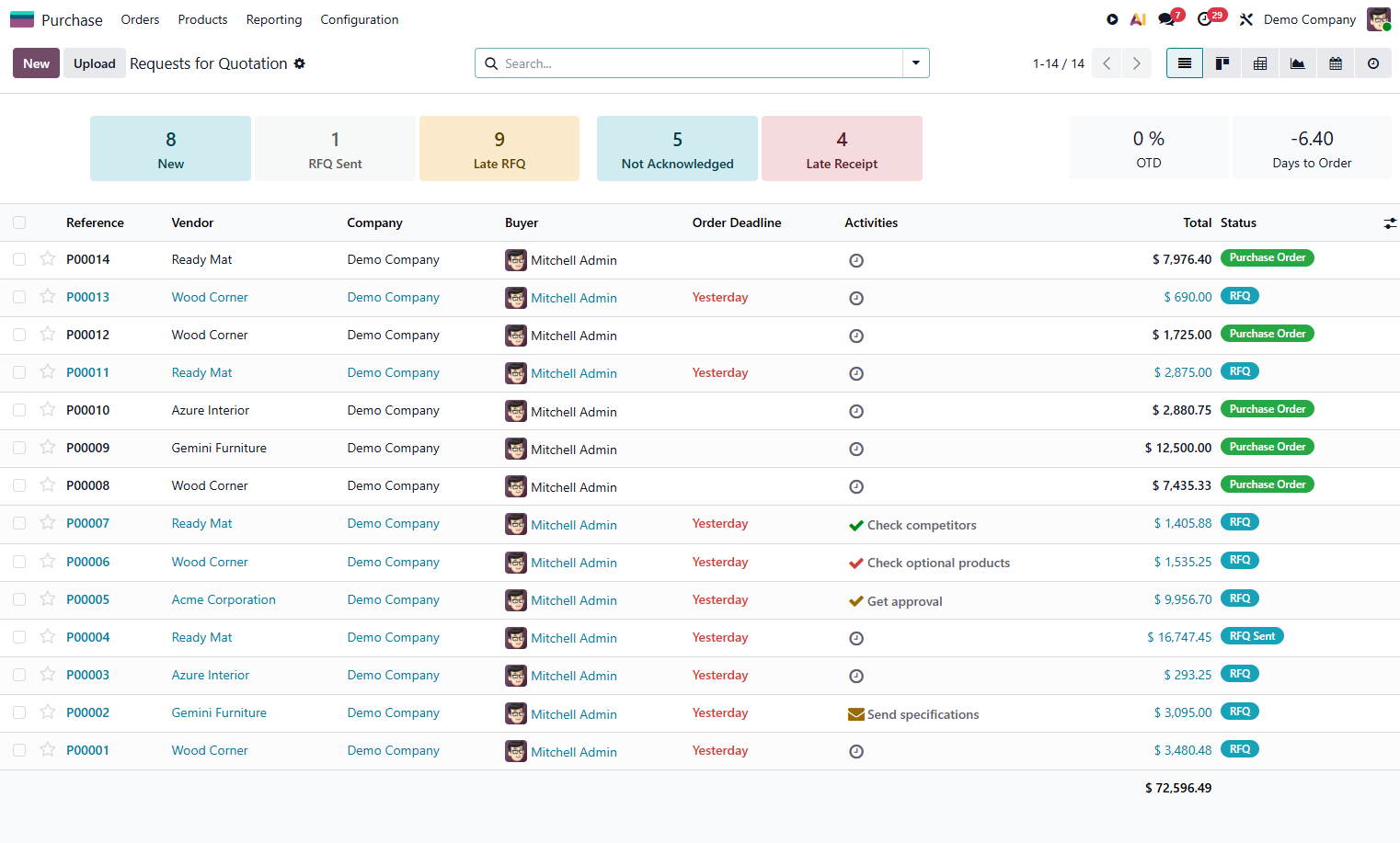
From the request for quotation to the receipt of the NF-e, Odoo Purchase centralizes suppliers, quotations, approval limits, and the entry of electronic invoices with SEFAZ validation. IRRF, PIS, COFINS, CSLL, and ISS withholdings at source are calculated automatically by KMEE's tax localization.
Supply Chain Official Odoo module
Why Odoo Purchase?
Real results our clients achieve.
NF-e entry via SEFAZ
Import the XML of the incoming invoice, validate it with SEFAZ, and automatically match it against the purchase order, quantity, price, and taxes.
Automatic withholdings at source
IRRF, PIS/COFINS/CSLL withheld at source, and ISS calculated automatically according to the type of service, amount, and the supplier's tax classification.
Configurable approval limits
Approval flow by amount, product category, or supplier. No purchase above the limit goes through without approval from the responsible party.
Supplier and price analysis
Price history by supplier, quotation comparison, and average delivery lead time. Negotiate with data, not assumptions.
Features
What's included in this module.
Request and Quotation
Purchase request by the requester, conversion into an RFQ (Request for Quotation), and sending to multiple suppliers with automatic comparison of proposals.
Approval by Authorization Limit
Multi-level approval rules by amount, category, or supplier. Automatic notifications by email and mobile app.
Electronic NF-e Entry
Import of the incoming NF-e XML with SEFAZ validation, automatic matching against the PO, and updating of inventory and accounting.
Tax Withholdings at Source
Automatic calculation of IRRF, PIS/COFINS/CSLL withheld at source on services, and ISS according to the rate of the municipality where the tax is due (LC 116/2003).
Difal on Purchases
Calculation of the Rate Differential (Difal) on interstate purchases for taxpayers, according to Constitutional Amendment 87/2015 and LC 190/2022.
Supply Contract Management
Contracts with fixed prices, minimum quantities, and validity dates. Expiration alerts and configurable automatic renewal.
Supplier Portal
Suppliers access orders, confirm deliveries, and send invoices electronically through a secure portal, reducing emails and phone calls.
Purchasing Reports and KPIs
Spend by category, supplier, and cost center. Average lead time, on-time delivery rate, and historical price comparison.
Native integrations
Odoo Purchase connects natively with other Odoo modules, no external integration.
Why implement with KMEE
KMEE implements NF-e entry with SEFAZ validation and the automatic calculation of all federal and municipal withholdings at source, eliminating tax risk in purchasing. Our team of tax specialists ensures compliance with Brazil's constantly changing tax legislation.
About KMEEWho it's for
Scenarios where this module delivers the most value.
Service Companies
Automatic withholding of IRRF, ISS, and PIS/COFINS/CSLL on contracted services, with DARF generation and data for EFD-Reinf.
Industry and Distributors
High volume of purchase orders with NF-e entry, quantity checking, and automatic integration with inventory and SPED Fiscal.
Companies with Purchasing Governance
Multi-level approval limits, separation of requester and approver, and a complete audit trail for every order.
Interstate Operations
Automatic Difal on interstate purchases by taxpayers, with correct bookkeeping in SPED Fiscal (Block C).
Frequently Asked Questions
Does Odoo Purchase validate the NF-e with SEFAZ?
Yes. With KMEE's l10n-brazil localization, the incoming NF-e XML is validated with the state SEFAZ before being recorded and updating inventory.
Which withholdings at source are calculated automatically?
IRRF, PIS, COFINS, CSLL (PCC withholding), and ISS, according to the type of service, minimum withholding amount, and the supplier's tax classification.
How do the approval limits work?
You define rules by amount, product category, or supplier. Orders above the limit are blocked until electronic approval by the designated person in charge.
Is Difal on purchases calculated automatically?
Yes. For interstate purchases by taxpayers, the l10n-br module calculates Difal according to Constitutional Amendment 87/2015 and the RICMS of each destination state.
Industries that use it
Complete solutions for your industry.
Explore all Odoo modules
View full catalogStart with a free assessment
Thirty minutes to understand your operation and tell you what to fix first, in the right order. No commitment.