Odoo Recruitment: Recruitment pipeline integrated with HR
Selection process and candidate pipeline
Manage job openings, candidates and interviews in a visual Kanban pipeline. Publish openings on the jobs portal, integrate with LinkedIn and Indeed, automate screening with questionnaires and run interviews with structured evaluations, all connected to the Odoo employee records.
Human Resources Official Odoo module
Why Odoo Recruitment?
Real results our clients achieve.
Visual candidate pipeline
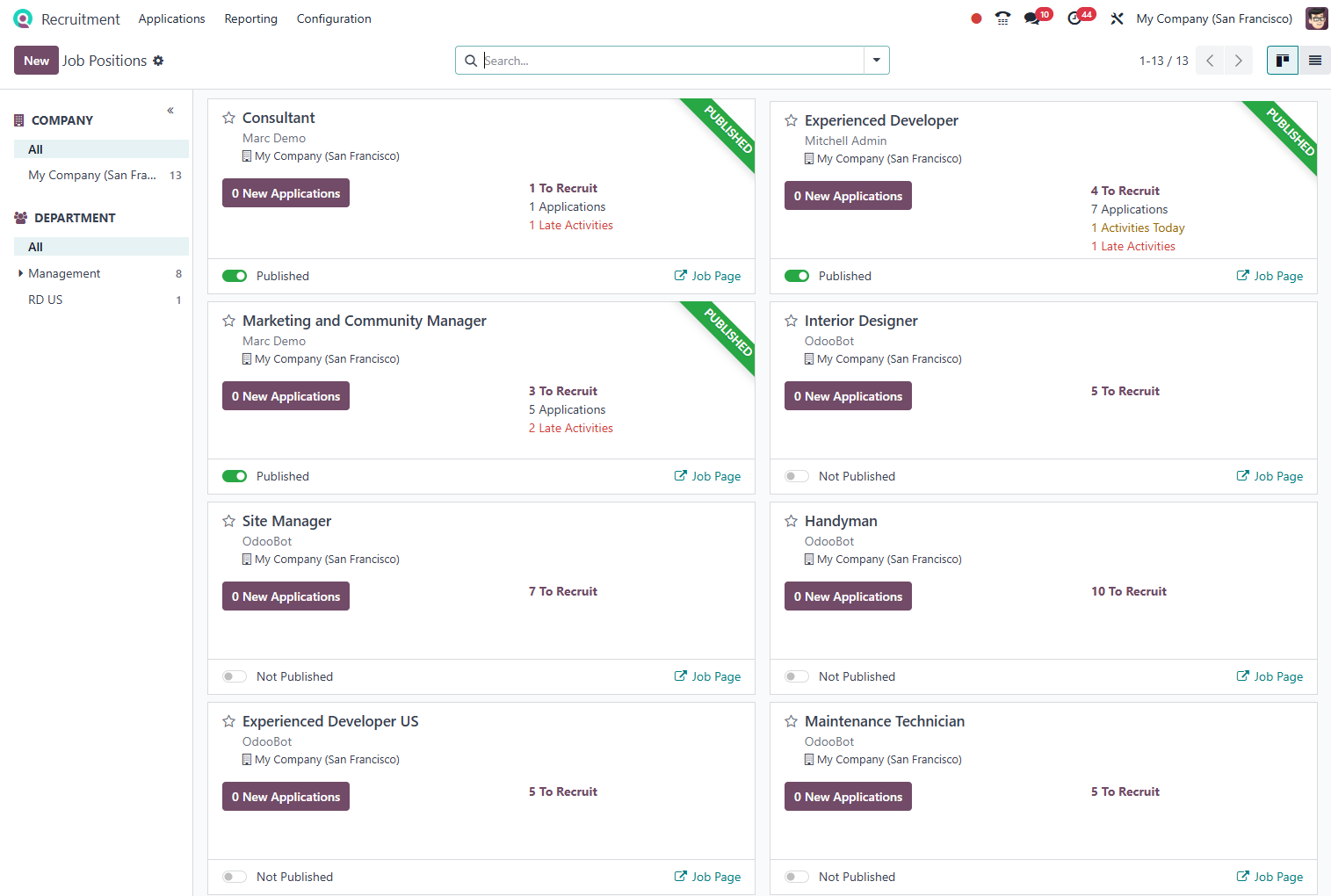
Track every candidate in a Kanban with custom stages: screening, technical interview, HR interview, offer and hiring. Zero lost emails.
Jobs portal integrated with Odoo Website
Publish job openings on your site with one click. Candidates apply directly and enter the pipeline, with no external forms or copy-pasting emails.
Automated screening with questionnaires
Elimination questions and screening questionnaires configurable per job opening. Candidates outside the profile are filtered automatically before human review.
Direct hiring into Odoo Employees
An approved candidate becomes an employee with one click, reusing all the data from the selection process. The eSocial hiring event is generated automatically.
Features
What's included in this module.
Job and Department Management
Job openings linked to departments, positions and cost centers. Manager approval of job requisitions before publication.
Jobs Portal
Open positions page integrated with Odoo Website, with filters by area and location. Candidates submit their resume and fill out the form directly on the site.
LinkedIn and Indeed Integration
Publish job openings and receive applications directly from LinkedIn Jobs and Indeed, centralizing all candidates in a single pipeline.
Configurable Kanban Pipeline
Selection process stages configured by job type. Drag candidates between stages, add evaluations and schedule interviews with one click.
Questionnaires and Automatic Screening
Elimination or scoring screening questionnaires per job opening. Candidates outside the profile are notified automatically, freeing HR to focus on qualified candidates.
Structured Interview Evaluation
Competency-based evaluation forms for interviewers. Consolidated scores for an objective decision among the final candidates.
Automated Communication
Automatic emails to candidates at each stage: application confirmation, interview invitation, approval or rejection with a personalized message.
Recruitment Reports
Average time to fill per job opening, conversion funnel by stage, cost per hire and candidate source (LinkedIn, site, referral).
Native integrations
Odoo Recruitment connects natively with other Odoo modules, no external integration.
Why implement with KMEE
KMEE configures Odoo Recruitment with a jobs portal on the client's site, LinkedIn integration and a hiring flow connected to eSocial, ensuring that an approved candidate becomes an employee in Odoo (and in eSocial) with no re-typing.
About KMEEWho it's for
Scenarios where this module delivers the most value.
Companies with High Hiring Volume
Automated screening and visual pipeline to manage dozens of simultaneous job openings without losing candidates or creating bottlenecks.
Specialized Technical Recruitment
Technical screening questionnaires and structured competency evaluation to ensure only qualified candidates reach the final interviews.
Companies with Their Own Jobs Portal
Native integration with Odoo Website to create a professional jobs page with no additional platform cost.
HR with Internal Referrals
Integration with Odoo Referrals to track employee referrals, assign credits and follow the referred candidate in the pipeline.
Frequently Asked Questions
Does Odoo Recruitment automatically publish jobs on LinkedIn?
Yes. With the LinkedIn Jobs integration, you publish job openings from Odoo and receive applications directly in the pipeline, without accessing LinkedIn separately.
How does automated screening work?
You configure elimination or scoring questions per job opening. Candidates outside the profile (score below the minimum) are notified automatically and removed from the pipeline.
Does an approved candidate automatically become an employee?
Yes. With one click on 'Create Employee,' the candidate's data is transferred to the Employees module and the hiring record (including eSocial) is started automatically.
Is it possible to have multiple recruiters per job opening?
Yes. You configure multiple recruiters and interviewers per job opening, each with access to the evaluations and communication with the candidates under their responsibility.
Industries that use it
Complete solutions for your industry.
Explore all Odoo modules
View full catalogStart with a free assessment
Thirty minutes to understand your operation and tell you what to fix first, in the right order. No commitment.