Serve customers on WhatsApp without leaving Odoo and without losing history
WhatsApp Business API integrated with CRM, Sales, and Helpdesk
Odoo WhatsApp integrates the WhatsApp Business API (Meta) directly with CRM, Helpdesk, and Sales. Send quotes, order confirmations, and transactional notifications via WhatsApp with approved templates, manage conversations as a team, and keep the full history linked to the customer in Odoo, in compliance with LGPD and Meta's mandatory opt-in.
Productivity Official Odoo module
Why Odoo WhatsApp?
Real results our clients achieve.
Automatic transactional messages
Send order confirmations, overdue boleto reminders, appointment reminders, and delivery updates via WhatsApp automatically from Odoo's flow. Zero manual intervention.
Shared team support
Multiple agents serve conversations from the same WhatsApp Business number. Odoo shows who is handling each conversation, avoiding duplicate replies and customers left without a response.
Templates approved by Meta
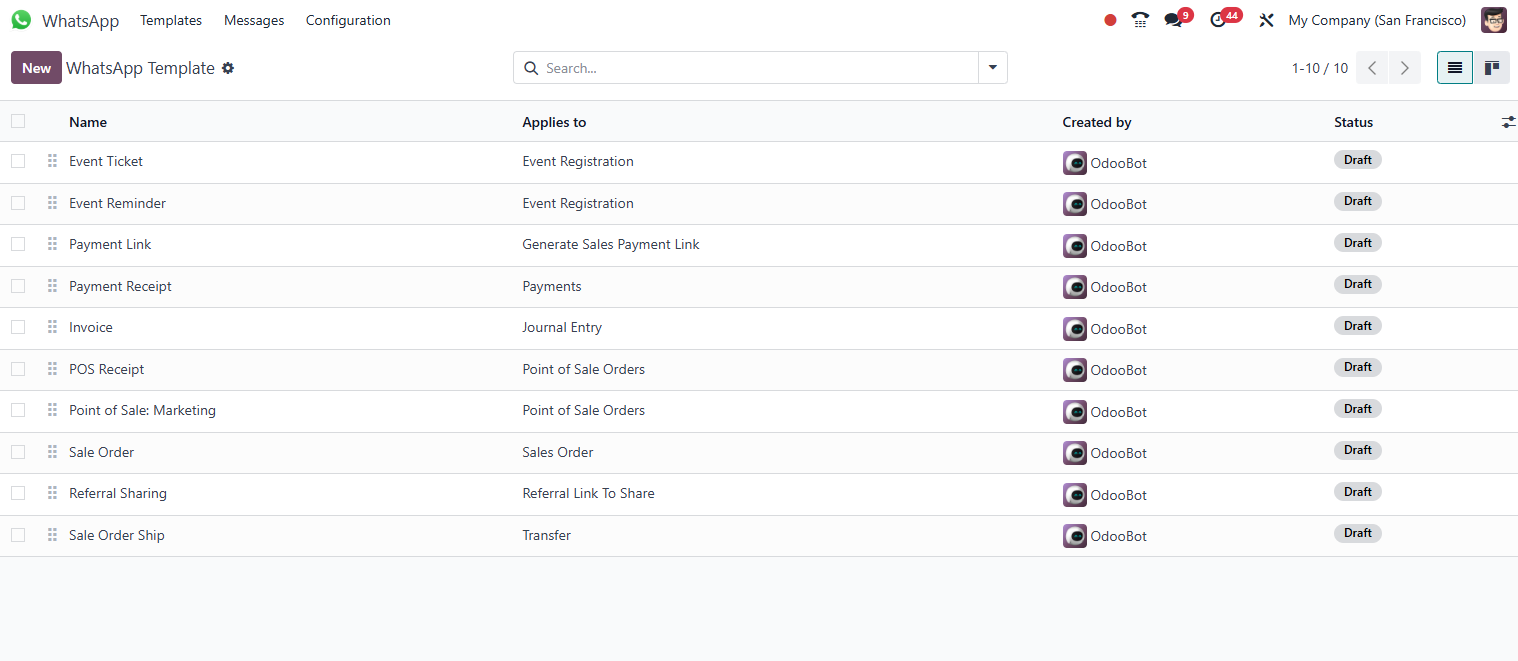
Create and manage message templates directly in Odoo. Meta's approval process is integrated: track the status and use approved templates in campaigns and automations.
Compliance with LGPD and Meta's opt-in
The WhatsApp Business API requires the recipient's explicit opt-in. Odoo manages the consent and opt-in/opt-out history of each contact, keeping the company compliant.
Features
What's included in this module.
Integration with the WhatsApp Business API (Meta)
Official connection via Meta Business Suite, with no unofficial APIs, no risk of the number being banned. Requires a verified Meta Business account and a dedicated phone number.
Sending transactional templates
Message templates approved by Meta (order confirmed, invoice generated, appointment reminder) triggered automatically by events in Odoo, with dynamic variables.
Single-screen support inbox
List of conversations, full history, and reply field on the same screen, with the queues My conversations, My team's, and Unassigned. The agent takes over, replies, and returns to the queue with no need to switch screens or leave Odoo.
Queue with agent assignment
Each conversation has a responsible agent and team. Distribution is round-robin (the next conversation goes to the next agent on the team) or manual, with the actions Assign to me, Transfer, and Return to queue.
24-hour window visible on the conversation
Meta only allows free-text replies within the 24 hours following the customer's last message. The inbox shows, on each conversation, whether the window is open and until when. The agent does not discover the block only when trying to send.
History linked to the customer
Every message exchanged is logged in the chatter of the corresponding lead, contact, or ticket. The full history of WhatsApp, email, and phone in a single timeline.
Chatbot with automatic responses
Configure chatbot flows for initial triage: the customer states the subject, the bot collects basic data, and routes to the right agent or resolves automatically.
Sending documents and media
Send quote PDFs, boletos, invoices, and product images directly from Odoo via WhatsApp. The customer receives the document with no need to access a portal.
Delivery and read notifications
Odoo displays the message delivery status (sent, delivered, read) in real time, letting the team know when a message was received without asking the customer.
Opt-in and opt-out management
Record each contact's consent to receive messages. Opt-outs are processed automatically: the number is never contacted again after a cancellation request.
Helpdesk integration
WhatsApp messages can automatically open tickets in the Helpdesk. The agent replies directly from the ticket, keeping the WhatsApp history within the case.
Support for multiple numbers
Manage multiple WhatsApp Business numbers in a single Odoo instance, useful for companies with different brands, branches, or product lines.
Native integrations
Odoo WhatsApp connects natively with other Odoo modules, no external integration.
Why implement with KMEE
The support layer is developed by KMEE: the conversation inbox and the queue and assignment engine that WhatsApp in Odoo does not include out of the box: agent teams, round-robin distribution, the actions Assign to me, Transfer, and Return to queue, the views My conversations / My team's / Unassigned, and Meta's 24-hour window indicator on each conversation. On top of that, we run the WhatsApp Business API enablement end to end (Meta Business account verification, template approval, automations from orders and invoices) and advise on opt-in and LGPD, so the customer operates in compliance from the very first message.
About KMEEWho it's for
Scenarios where this module delivers the most value.
Sending a quote with approval via WhatsApp
The salesperson generates the quote in Odoo and sends the PDF via WhatsApp with one click. The customer replies in the conversation and the response is automatically logged on the lead, speeding up the close.
Billing and boleto notification
One day before the due date, Odoo automatically sends a WhatsApp message with the updated boleto link. The delinquency rate drops with no need for extra collections staff.
Customer support with ticket opening
Customers send messages to the support number. The chatbot collects the CPF/CNPJ and the subject, opens the ticket in the Helpdesk, and provides the case number. The agent replies through the same WhatsApp.
Call center with agent rotation
A single number serves the entire customer base, but no conversation is ever left without an owner: the team is defined per WhatsApp account and each new conversation enters an agent's queue by round-robin. During peaks, the supervisor transfers or returns conversations to the queue, and the My / My team's / Unassigned views show what is stalled.
Service appointment confirmation
Field service companies send technical visit confirmations via WhatsApp 24 hours in advance. The customer confirms or requests rescheduling directly in the conversation, reducing no-shows and unnecessary trips.
Frequently Asked Questions
Can I use regular WhatsApp (not the Business API) with Odoo?
No. Odoo integrates exclusively with Meta's official WhatsApp Business API, which requires Meta approval, a dedicated phone number (it cannot be the same as a personal WhatsApp or the WhatsApp Business App), and a verified Meta Business account. Unofficial APIs and WhatsApp Web automation solutions violate Meta's Terms of Service and can result in a permanent ban of the number. KMEE assists with the entire official API enablement process.
What are message templates and why do they need approval?
Templates are pre-approved messages from Meta for use in communications initiated by the company (outside the 24-hour reply window). They follow a fixed format with dynamic variables (name, amount, order number) and categories such as transactional, marketing, or OTP. Meta approves each template to prevent spam. The process takes anywhere from a few hours to 2 business days. Within the 24-hour window after the customer sends a message, free-text replies are possible without a template.
How does Meta's mandatory opt-in for sending messages work?
Meta requires the recipient to have explicitly agreed to receive messages from the company via WhatsApp before the first send. The opt-in can be collected via a web form, at the moment of purchase, via SMS, or in person. Odoo stores each contact's consent record with date and collection channel. Sending messages without opt-in violates Meta's policies and can result in the number being suspended. LGPD requires an equivalent legal basis. In practice, the opt-in serves both.
How many agents can serve conversations from the same WhatsApp number?
Unlimited, and that is one of the great advantages of the Business API over the WhatsApp Business App, which limits it to a few devices. In the inbox developed by KMEE, each conversation has a responsible agent and team: when a new conversation arrives, it is routed to a team agent by round-robin instead of falling to everyone. Who is handling what stays visible, and the actions Assign to me, Transfer, and Return to queue handle vacations, shift changes, and demand peaks with no orphaned conversation.
What happens after 24 hours without the customer replying?
Meta closes the conversation window: 24 hours after the customer's last message, the company can only reach back out through an approved template, not with free text. That is why the inbox shows on each conversation whether the window is open and until when. The agent sees the deadline before writing, and does not discover the block when trying to send. After the deadline, the reply is made via template and the conversation continues in the same customer history.
Does Odoo WhatsApp work with LGPD? How are deletion requests handled?
Odoo has native LGPD compliance features, including anonymization of contact data. For WhatsApp, KMEE configures the automatic opt-out flow: when the customer replies 'STOP' or equivalent, Odoo records the opt-out and blocks further sends. Data deletion requests (right to be forgotten) are handled by Odoo's privacy module, which anonymizes the contact's data across all modules, including the message history.
Industries that use it
Complete solutions for your industry.
- Retail POS, e-commerce, multichannel inventory management and integrated financial control.
- Services Project management, timesheets, recurring contracts and automated invoicing.
- Restaurants Food service POS, table management, delivery integration and ingredient control.
- Distribution WMS, route planning, fleet management and full fiscal integration.
Explore all Odoo modules
View full catalogStart with a free assessment
Thirty minutes to understand your operation and tell you what to fix first, in the right order. No commitment.