No more internal email: communicate where the work happens
Centralized internal communication, without leaving Odoo
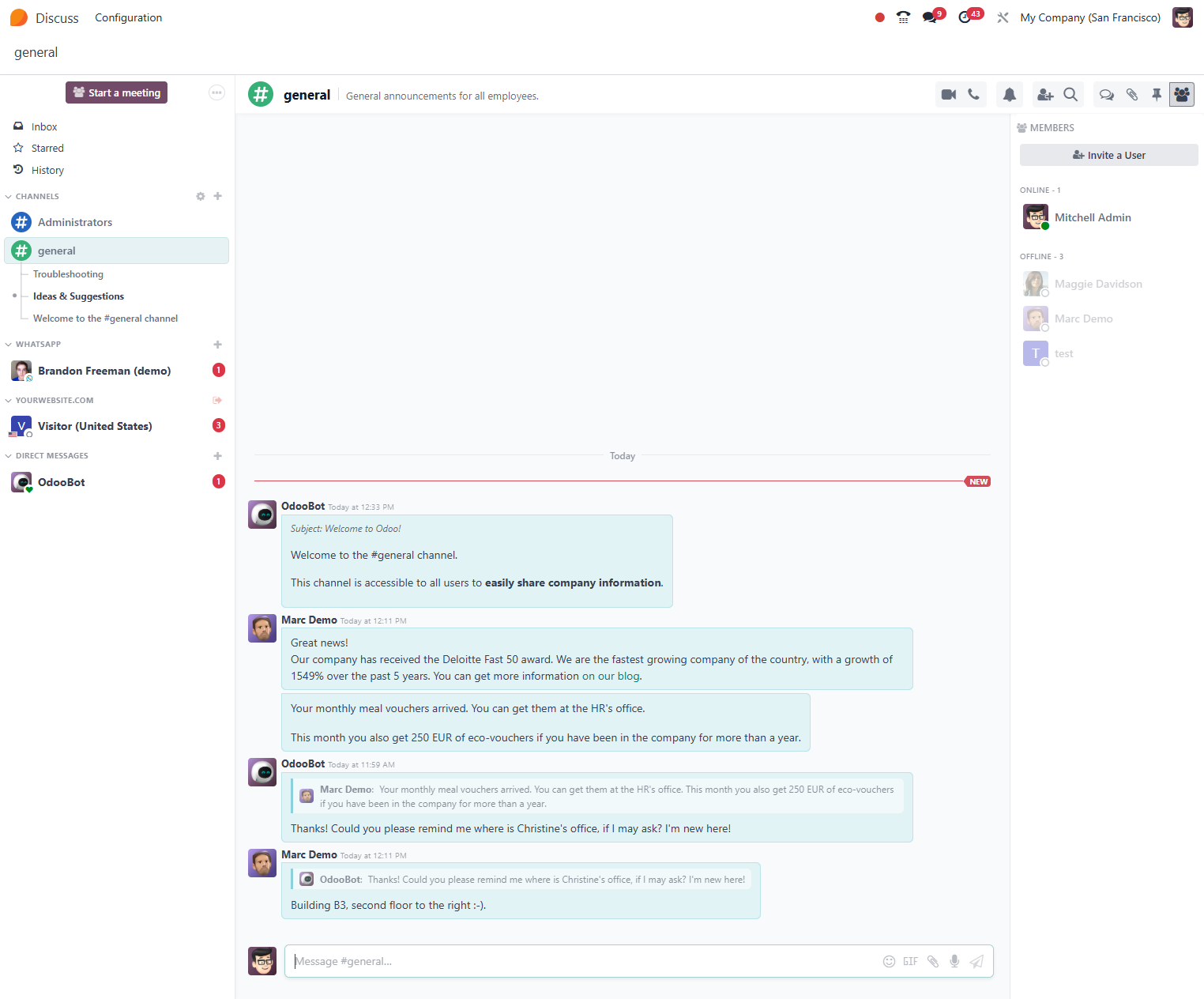
Odoo Discuss is Odoo's native communication hub: team channels, direct messages and system notifications integrated in one place. Eliminate the noise of internal emails and conversations scattered across external apps, keeping all communication linked to the right context: an order, a project, a ticket or an employee.
Productivity Official Odoo module
Why Odoo Discuss?
Real results our clients achieve.
Communication with context
Every conversation is linked to the corresponding Odoo record: an order, a ticket or a project. Never lose the history of decisions behind a sale or a case.
Channels by team or topic
Create open or private channels for sales, support, IT or any area of the company. Members get real time notifications directly in the browser or the mobile app.
The end of unnecessary internal emails
Replace internal email threads with contextualized instant messages. The team gains agility and the manager has full visibility into conversations with no overflowing inbox.
Automatic system notifications
Odoo's internal bot sends automatic alerts about pending approvals, assigned tasks, overdue invoices and much more. Configure filters to receive only what is relevant.
Features
What's included in this module.
Direct Messages (DM)
Send private messages to any colleague with support for rich text, emojis and @ mentions. The history is persistent and searchable.
Team Channels
Create open or restricted topic channels with invitations by user group or role. Includes support for pinned messages and reactions.
Chatter Built Into Records
Every sales order, task, ticket or invoice has a native chatter with message history, internal notes and a status change log.
Mentions and Notifications
Use @name or @channel to notify specific people. Notifications arrive via a browser badge and push notification in the mobile app.
File Sharing
Attach documents, images and links directly in messages. Files stay indexed and accessible from the conversation or the record's history.
Integration With Every Module
Discuss is built into CRM, Helpdesk, Projects, Purchasing and more. Communication happens within the context of the work, with no need to switch between apps.
Presence and Read Status
See who is online in real time. Messages show delivery and read confirmation for more efficient communication.
Global Message Search
Search any message, file or conversation by keyword, sender or date. The result shows the full context of the exchange.
Configurable Notification Bot
OdooBot notifies about overdue activities, pending approvals and new leads. Customize which events trigger alerts for each user.
Multi Language Support
Interface available in Portuguese, Spanish, English and other languages. Ideal for multicultural teams at companies with branches abroad.
Native integrations
Odoo Discuss connects natively with other Odoo modules, no external integration.
Why implement with KMEE
KMEE implements Odoo Discuss as part of the digital centralization strategy for customer companies, configuring channels by department, integrating with the approval flow and training teams to replace personal WhatsApp and internal email with traceable, contextualized communication inside Odoo itself.
About KMEEWho it's for
Scenarios where this module delivers the most value.
Coordinated Sales Team
The #sales channel centralizes discussions about proposals and negotiation strategy. When an order is approved, the automatic notification reaches finance with no manual email.
Agile Customer Support
The helpdesk team discusses complex tickets directly in the case chatter, with a history visible to any agent who takes over the case.
Project Management With Fewer Unnecessary Meetings
Comments and status updates on the task replace alignment meetings. Every decision is documented in the context where the work happens.
Communication Between Branches
Companies with units in different states create channels by branch and by department, eliminating the use of personal WhatsApp for corporate communication.
Frequently Asked Questions
Does Odoo Discuss replace Slack or Microsoft Teams?
For internal communication linked to the ERP, yes. Discuss offers channels, DMs, mentions and automatic system notifications, all with no additional license cost. The great advantage is that messages stay contextualized within Odoo's records (orders, tickets, tasks), eliminating the need to switch between tools. For companies that already use Microsoft 365, it can coexist with Teams, but many customers migrate completely after the deployment.
Are Discuss messages stored on the company's own server?
When Odoo is deployed on premise (own server or dedicated cloud), all messages stay in the company's database, under the customer's full control. On the Odoo.sh or SaaS model, the data stays on Odoo's servers with automatic backup. KMEE always recommends reviewing the data retention policy according to the LGPD and the customer's compliance needs.
Is it possible to use Discuss outside the office?
Yes. Odoo's mobile app (available for iOS and Android) includes the full Discuss experience with push notifications. Field technicians, sales reps and managers receive alerts and can reply to messages from their phone, with the same interface and history as the desktop.
Can I create channels restricted by department or role?
Yes. Channels can be public (visible to all users), private (by invitation) or restricted to specific groups. It is possible to configure automatic channels linked to departments in the HR module, so new employees automatically join the right channel when they are registered.
Does Discuss integrate with external email?
Discuss itself is focused on internal communication, but the record chatter integrates with external email: customer replies arrive as messages in the chatter and can be answered directly from Odoo. This centralizes both internal and external communication in the same record, with no need to open an email client.
Industries that use it
Complete solutions for your industry.
Explore all Odoo modules
View full catalogStart with a free assessment
Thirty minutes to understand your operation and tell you what to fix first, in the right order. No commitment.